


EasyVideo is Easygenerator's AI video creation add-on
EasyVideo: best software to create training videos
Your experts have the knowledge. EasyVideo is the best software to create training videos from the PowerPoint decks and screen recordings they already have, right inside Easygenerator's award-winning authoring tool.
Why most training content never becomes a video
Your knowledge exists. Your content exists. What's missing is a fast, simple way to turn it into something people will actually watch.

Great content is stuck in PowerPoints
The slides are done. The knowledge is there. But without a simple way to make it engaging, it just sits in a deck no one learns from.

By the time it's published, it's already outdated
Scripting, recording, editing, and reviewing a video can take weeks. By the time it’s done, half of it needs updating.

Translating video means rebuilding it from scratch
Global teams need training in their language. But when localization means rebuilding a video, it rarely gets done.
Traditional
Complex and expensive production

Step 1: Production setup and filming
Set up the studio, brief the crew, and capture all footage

Step 2: Post-production
Edit the footage, adjust color, and clean up the sound

Step 3: Revisions and final approval
Apply feedback and wait for the final sign off
TIME

COST

TEAM

EasyVideo
Simple and quick production

Step 1: Create your video with AI
Use AI avatars or voiceovers to create the perfect video

Step 2: Preview and refine
Review your video and make quick improvements

Step 3: Publish and you’re done
That’s it, your polished video is ready in 30 minutes
TIME
 98% faster
COST
 99% cheaper
TEAM
 Solo creator
How EasyVideo turns expert knowledge into training videos
People with knowledge to share aren't video creators. That shouldn't stop them from turning their expertise into engaging training videos. That's exactly why we built EasyVideo, an AI tool to create training videos that anyone can use.
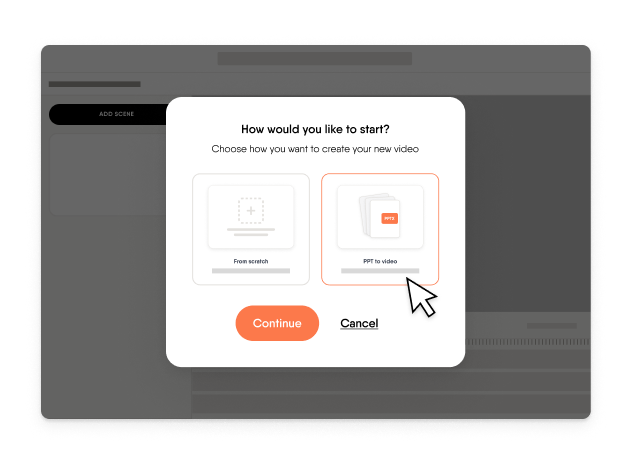
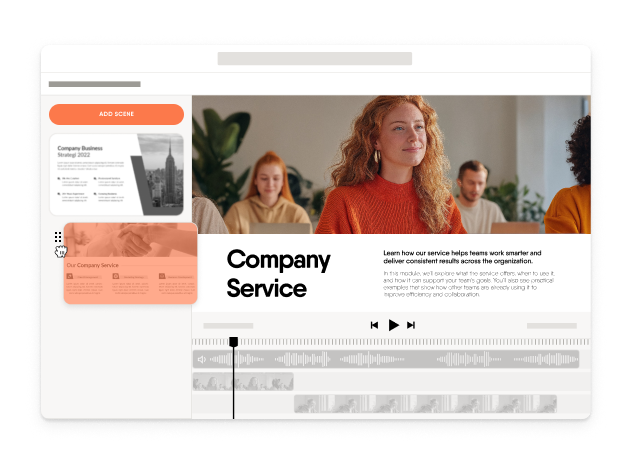
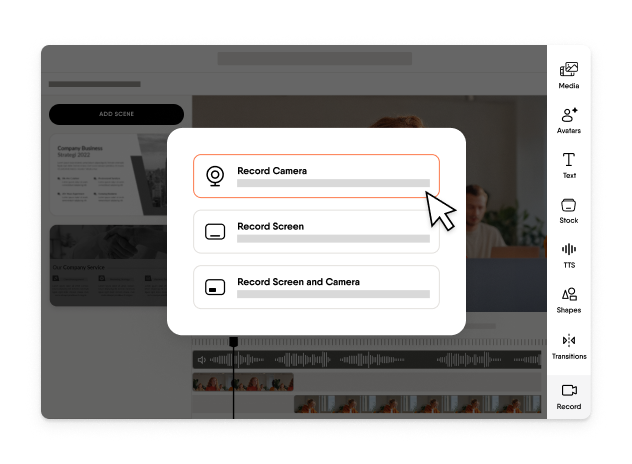
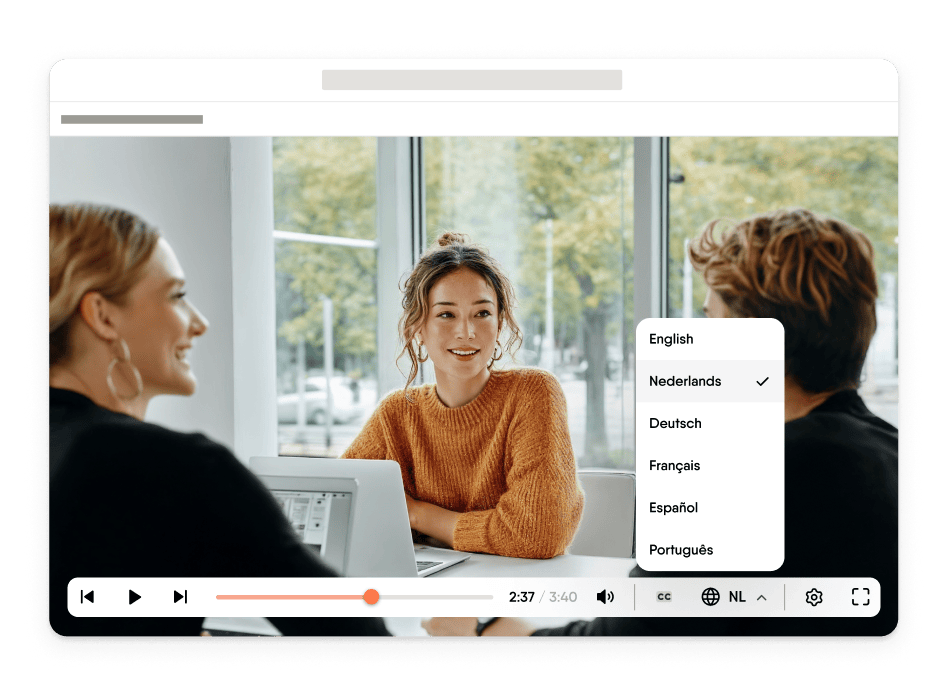
How to create a training video in three steps
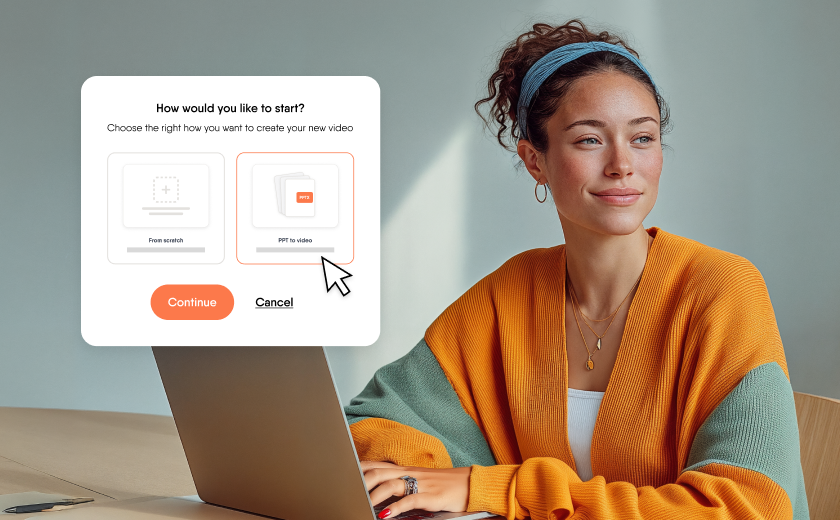
Upload a PowerPoint, hit record, or choose one of our templates to begin. Whatever you have, EasyVideo gives you a head start.
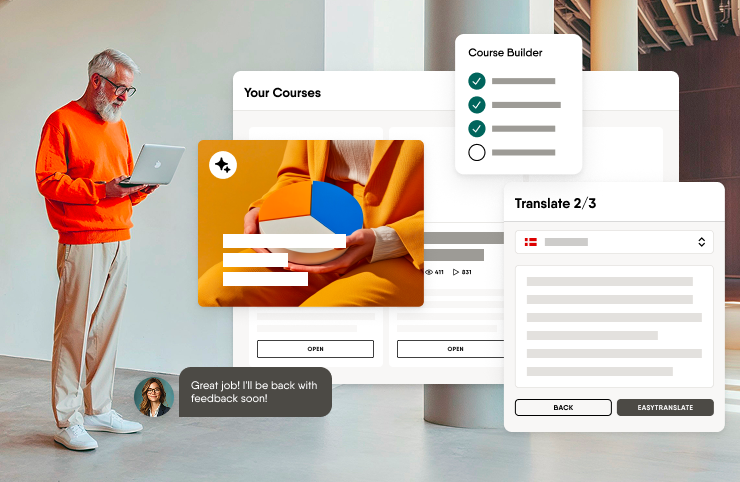
Every part of your video is its own scene. Edit only what needs changing, apply pre-built scene templates, and nothing else moves. Updates stay fast and simple.

Reach every learner in their language. Translate your video into 70+ languages in one click, then embed, share, or download it wherever you need it.
See EasyVideo in action
Everything you need to make your video engaging is built in—and easy enough for anyone to use. See how EasyVideo works by pressing play below.

Why video works for corporate training
Learners retain 95% of a message through video, compared to just 10% from reading
Create your first training video with EasyVideo
Join teams who are creating professional training content faster and more affordably with EasyVideo
Frequently asked questions
What is the best PowerPoint to video tool for corporate training?
–
The best PowerPoint to video tool for corporate training turns an existing deck into a finished video without a rewrite, and keeps that video easy to update. EasyVideo does both. You upload your deck, EasyVideo converts it into a ready-to-publish training video, and there is no scripting or starting over.
What is the best training video software?
+
The best software for creating training videos lets subject-matter experts turn what they know into a finished video without video skills. EasyVideo is built for that. Experts start from a PowerPoint, a recording, or a template, edit the video like slides, and share it with learners.
What is the best e-learning video production software?
+
E-learning video production software should remove the studio setup and the filming from the process. EasyVideo does this with AI avatars or voiceovers, and in Easygenerator’s comparison with traditional production it is 98% faster and 99% cheaper. A solo creator can produce the video right inside Easygenerator’s authoring tool.
What is the best AI avatar video software for training content?
+
The best AI avatar video software for training content lets you create a presenter-led video without filming anyone, and lets you change it later without redoing the whole video. With EasyVideo, you use AI avatars or voiceovers to create the video, and you update only the section that changed. You can also turn the video into 70+ languages in one click, subtitles included.
What is an AI training video generator?
+
An AI training video generator turns your source material into a finished training video with AI avatars or voiceovers. EasyVideo is an AI training video generator inside Easygenerator’s authoring tool, and it starts from a PowerPoint deck, a screen recording, or a template. Experts do not need video skills to use it.
Can I create training videos online without video editing experience?
+
Yes. EasyVideo is an online training video creator built for subject-matter experts who are not video creators. Each part of your video is its own section, so you edit it the way you edit slides.
How do I update a training video without redoing it?
+
Each part of an EasyVideo video is its own section, so you change the part that needs updating and nothing else moves. If you share the video through the embeddable EasyVideo player, every embedded version updates automatically after you update the video.
Can I translate a training video into other languages?
+
Yes. EasyVideo turns your video into 70+ languages in one click, subtitles included, with the embeddable EasyVideo player. When you update the video later, every embedded version updates automatically, so your training does not fall out of date.