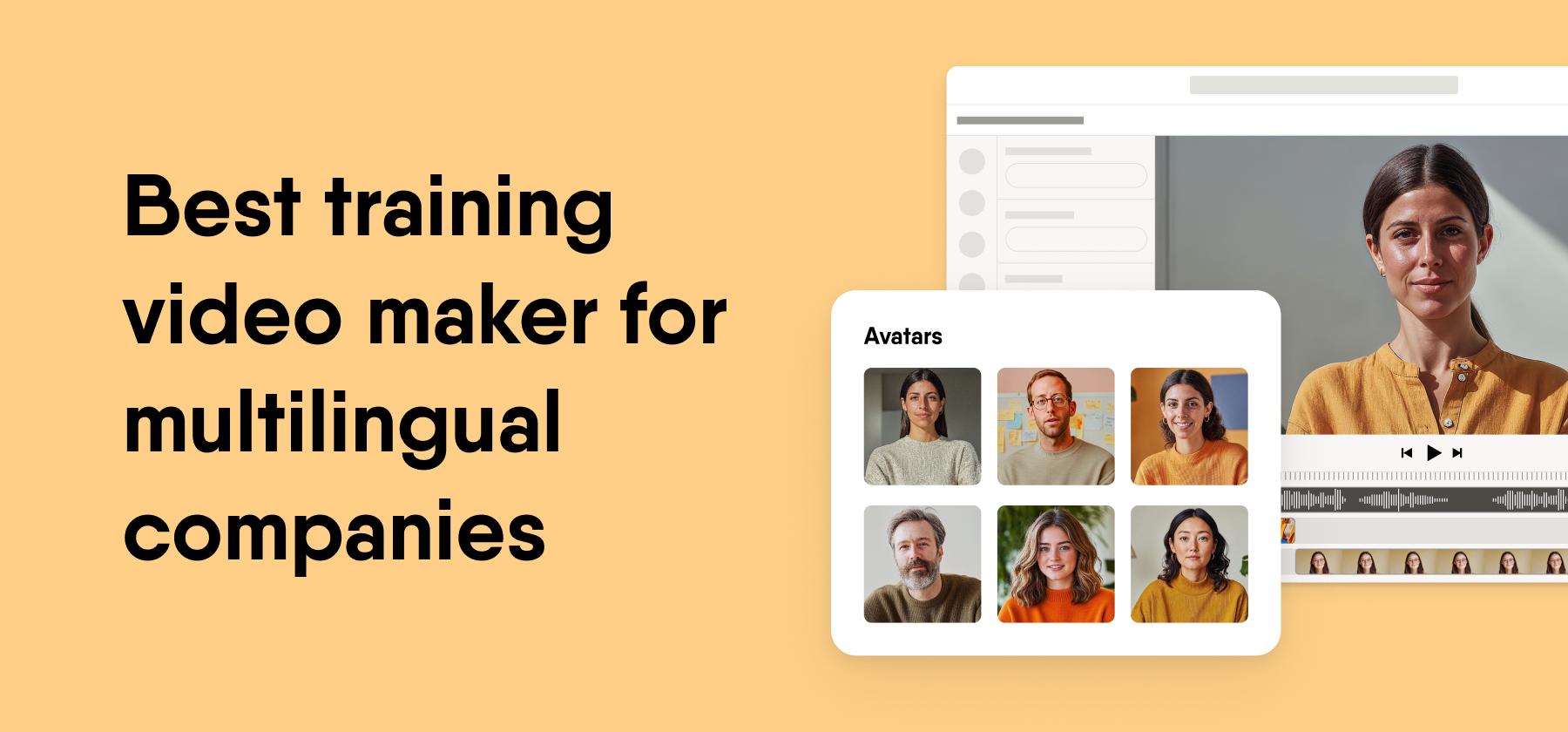
The best training video maker for a multilingual company depends on how many languages you need, whether videos must report to your LMS, and who creates them. AI avatar tools fit fast script-to-video work. Course authoring suites with built-in video fit tracked training. Screen recorders fit software demos. Translation scale separates the options most.
Key takeaways
- Language workflow matters more than avatar quality. Check whether one master video translates into many languages without rebuilds.
- LMS reporting splits the field. Some tools export SCORM or Experience API (xAPI) packages, and others only produce video files.
- Authoring ownership affects scale. Tools that subject-matter experts can use spread the workload beyond L&D.
- Match the tool to the video type. Avatars, screen recording, and animation each suit different content.
A training video maker turns scripts, slides, or recordings into learning content
A training video maker is software that turns a script, a slide deck, or a recording into a video that teaches a skill or a process. For a global company, the useful ones also translate that video and show who watched it.
Most tools in this category follow one of four approaches. AI avatar tools such as Synthesia and Colossyan Creator turn text into an on-screen presenter, and animation tools such as Vyond build scenes with animated characters. Screen recorders such as Camtasia capture software demos.
Authoring suites such as iSpring Suite and Easygenerator, with EasyVideo, place video inside tracked courses. That difference matters to senior L&D leaders, because each approach carries a different cost of change.
A team that owns only a finished video file has to edit, export, and upload it again in every language when a policy changes. Scene-based editors and courses with dynamic updates cut that rework, which shapes the long-term cost of training video software.
How we evaluated training video makers
We compared five tools on four criteria that decide whether video training works across languages and regions at enterprise scale. The same four criteria appear as table columns and as sub-headings inside every tool review.
The four criteria we scored
- Multilingual workflow. We checked for AI translation from one master video, subtitles, and how language versions reach learners. High means one-click translation of a master video with subtitles or dubbing. Medium means the translation centers on slides and courses, or we could not confirm a one-click video workflow. Low means you build each language yourself.
- LMS tracking. We checked for SCORM, xAPI, and cmi5 export, and for tracking through a surrounding course. We describe each tool’s route in words, because the route matters more than a grade.
- Authoring ease. We checked whether a subject-matter expert with no video skills can build a first video, and we read G2 ease-of-use themes. High means a browser editor that a new author can use without training. Medium means a desktop install or more design work.
- AI avatars and voice. We checked stock and custom avatars, AI voices, and lip-sync. High means photoreal stock and custom avatars with team sharing. Medium means avatars or animated characters with some options missing. Low means characters or narration without avatar presenters.
Ownership disclosure
Easygenerator is our own product. For every other tool in this list, we based our descriptions on G2 reviews and on each vendor’s own website and help center. We last verified G2 ratings as of November 2026 and features as of October 2026.
What we deliberately did not score
- Price. The tools charge in different units, such as seats, credits, and video minutes, and enterprise tiers usually need a quote for your volume.
- Avatar and template counts. These counts shift with each release, and vendors count them in different ways.
- Render speed and output quality. We did not run timed production tests, so we do not grade them.
Tools we left out
- Camtasia. TechSmith’s screen recorder and video editor suits software demos, but it does not author courses (G2 lists it under Video Editing Software, as of November 2026).
- HeyGen. It offers AI avatar video and translation, but it aims mainly at marketing and sales teams.
- VEED. It is a browser video editor with AI tools and avatars, built for general video work rather than training programs.
- Descript. It edits audio and video through text, which makes it an editing tool rather than a training video maker.
- Canva. It is a design platform with video features, and G2 reviewers name Lack of Features as its top con.
Two routes fit different needs
The market splits into video-first tools and authoring suites with built-in video. The right route depends on where your tracking and course content need to live.
Video-first tools
These tools produce polished video from a script or a deck, and they leave quizzes, course pages, and most tracking to another system. They fit communications and L&D teams that already own an authoring tool or LMS and want video at volume.
Tools in this route. Synthesia, Colossyan Creator, Vyond, and EasyVideo for avatar video.
Authoring suites with built-in video
These tools put video inside a course that reports completions and quiz scores to your LMS. They fit global teams that need proof of training, such as compliance and onboarding programs, in many languages.
Tools in this route. EasyVideo inside Easygenerator, and iSpring Suite.
Comparison table of five training video makers
Multilingual workflow and LMS tracking separate these five tools most. The table follows the same order as the reviews below.
| Tool | Multilingual workflow | LMS tracking | Authoring ease | AI avatars and voice | G2 rating |
|---|---|---|---|---|---|
| 1. EasyVideo (Easygenerator) | High. One-click translation into 70+ languages with subtitles, and one embed code for every version | Yes, manual and dynamic SCORM, xAPI native integrations, and more. | High. Scene-by-scene editor, PowerPoint start, and AI Script Assistant | Medium. AI avatars, AI voiceovers, and custom AI presenters. Shared avatar libraries not live yet | 4.7/5 from 198 reviews (Easygenerator platform) |
| 2. Synthesia | High. Translation of a finished video into other languages | No native SCORM or xAPI. Tracking runs through an authoring tool or LMS | High. Browser editor from script, document, or deck | High. Realistic stock and custom avatars with AI voices | 4.6/5 from 2,859 reviews |
| 3. Colossyan Creator | High. Automatic video translation | SCORM export with in-video quizzes, per Colossyan’s website | High. Browser editor built for workplace learning | High. Realistic avatars, including conversation scenes | 4.6/5 from 498 reviews |
| 4. Vyond | Medium. AI voices in many languages. Ask for a demo of the translation steps | Video files. Tracking comes from the course or LMS around the video | Medium. Animation asks for more design choices | Medium. Animated characters with lip-sync and AI voices | 4.7/5 from 555 reviews |
| 5. iSpring Suite | Medium. AI translation into 50+ languages, centered on courses | SCORM 1.2, SCORM 2004, xAPI, and cmi5. No dynamic update feature listed | Medium. PowerPoint add-in for Windows | Low. Characters and scenes for slides and roleplays, plus narration | 4.6/5 from 890 reviews |
All G2 ratings and review counts in this table were verified as of November 2026. G2 counts move in both directions as reviews are added and removed, so figures on pages published earlier may differ by a few reviews.
Five training video makers reviewed
Each review below uses the same four criteria in the same order as the table. Every tool gets pros and cons, including ours.
1. EasyVideo (Easygenerator)
EasyVideo is an AI training video maker from Easygenerator that turns PowerPoint decks, recordings, and templates into avatar-led videos for global teams. It sits inside Easygenerator, a cloud e-learning authoring tool that helps organizations create company-tailored training at scale by letting subject-matter experts build courses alongside L&D.
It serves the authoring-suite route, where video and tracked courses live in one platform. EasyVideo is available as a powerful addition to the suite, built for distributed content creation at enterprise scale.
Multilingual workflow
EasyVideo translates a video into 70+ languages in one click, with subtitles. One embed code serves every language version, so a regional course page or intranet needs no separate link per language.
For the course around the video, EasyTranslate manages every language from one master course and puts all versions in a single SCORM package. It includes unlimited translations and edits, with no per-word costs.
LMS tracking
Tracking runs through the Easygenerator course you place the video in. Courses publish through manual and dynamic SCORM or xAPI, and with dynamic SCORM, authors upload a course to the LMS once and push every later update with one click. We do not support cmi5 or AICC, so an LMS that requires either standard needs another tool.
Authoring ease
EasyVideo builds each video scene by scene like slides, so an update to one scene leaves the rest untouched. Authors start from a PowerPoint file, a recording, or a template, and the AI Script Assistant helps draft the narration. Easygenerator scores 9.4 for ease of use from 145 responses on G2, as of November 2026.
AI avatars and voice
EasyVideo includes AI avatars, AI voiceovers, and custom AI presenter generation. Branded and shared custom avatar libraries are coming soon and are not live as of October 2026. Teams that need shared brand avatars across many authors today will find more options in Synthesia or Colossyan Creator.
Standout features
- PowerPoint to video, with each slide turned into its own scene
- One-click translation into 70+ languages with subtitles
- A single embed code for every language version
- AI Script Assistant for narration drafts
- Real-time collaboration in a dedicated workspace (co-authors need an EasyVideo license)
Pros
- G2 reviewers name Ease of Use most often (28 mentions), followed by Intuitive (16), as of November 2026
- Customer Support appears as a pros theme 14 times on G2
- Video, courses, and translation sit in one platform
- Scene-level edits keep updates small across language versions
- 88.8% of G2 reviewers come from mid-market and enterprise companies
Cons
- Five G2 reviewers cite limited customization, and five cite limited flexibility
- Branded and shared avatar libraries are not live yet
- Knowledge checks inside the video are not available today, so quizzes sit in the surrounding course
- No cmi5 or AICC publishing
Best for
- Companies with 1,000 or more employees that train in many languages
- L&D teams that want videos and tracked courses in one platform
- Subject-matter experts without video skills who start from PowerPoint
- Global teams that update content often and want scene-level edits
- Organizations whose LMS supports SCORM or xAPI
G2 rating. 4.7 out of 5 from 198 reviews, as of November 2026. This is the rating of the Easygenerator platform that EasyVideo sits inside, because EasyVideo has no separate G2 profile.
2. Synthesia
Synthesia is an AI video platform from Synthesia that creates avatar-led videos from a script, a document, or a slide deck. It has the largest G2 review base of the five tools, with 2,859 reviews as of November 2026.
It serves the video-first route. Synthesia generates AI video and does not build courses, so the video and the tracked course usually live in separate tools.
Multilingual workflow
Synthesia translates a finished video into other languages from its editor, per its website as of October 2026. G2 reviewers list Voice Quality among its cons themes, so test voices in your priority languages before you commit.
LMS tracking
Synthesia has no native SCORM or xAPI export, per our October 2026 check. Teams download or embed the video and place it in an authoring tool or LMS that records completions and quiz results.
Authoring ease
Ease of Use is a top pros theme for Synthesia on G2, as of November 2026. The browser editor works from a typed script, and an existing document or deck gives authors a head start on the first draft.
AI avatars and voice
Realistic Avatars appears among Synthesia’s G2 pros themes, and the platform offers custom avatars of your own presenters. Avatar Limitations, Limited Avatars, and AI Limitations show up in its cons themes, so some reviewers hit limits on variety or control.
Standout features
- Script-to-video editor in the browser
- Video drafts from a document or slide deck
- Stock avat
ars and custom avatars of your own presenters - Video translation from the editor
- Templates for common training and communication formats
- Download or embed options for use in other platforms
Pros
- G2 reviewers name Ease of Use and Quality among its top pros themes
- Realistic Avatars appears as a pros theme on G2
- The largest G2 review base of the five tools, with 2,859 reviews
- Fast route from a typed script to a finished video
Cons
- No native SCORM or xAPI export, so tracking depends on another tool
- Avatar Limitations and Limited Avatars appear in its G2 cons themes
- Some G2 reviewers cite Voice Quality as a con
- AI Limitations appears as a cons theme on G2
Best for
- Large companies that produce many standalone avatar videos
- Communications and L&D teams that share one video tool
- Authors who write scripts and want a presenter without a camera crew
- Teams that already own an authoring tool or LMS for tracking
G2 rating. 4.6 out of 5 from 2,859 reviews, as of November 2026.
How we checked. Synthesia’s G2 profile, checked November 2026, and Synthesia’s website, checked October 2026.
3. Colossyan Creator
Colossyan Creator is an AI video platform from Colossyan that creates avatar-led videos for workplace learning. It has 498 G2 reviews and a 4.6 rating, as of November 2026.
It sits on the video-first route, but it leans closer to training than most avatar tools. Colossyan positions the product for L&D teams rather than for marketing.
Multilingual workflow
Colossyan translates videos into other languages from its editor, per its website as of October 2026. Each language version still needs a review by a native speaker, as with every tool on this list.
LMS tracking
Colossyan’s website describes SCORM export and quiz questions inside the video, as of October 2026. That gives it a lead over most avatar tools for teams that need basic completion data. Check the depth of reporting against your LMS before a rollout.
Authoring ease
Ease of Use is a top pros theme for Colossyan Creator on G2, as of November 2026. Authors work in a browser editor and build videos from a script or from existing documents and slides.
AI avatars and voice
Realistic Avatars appears among Colossyan’s G2 pros themes. Avatar Limitations appears in its cons themes, so test the avatars and voices your audience will see before you sign.
Standout features
- AI avatars and voices built for workplace learning
- Quiz questions inside the video
- SCORM export for LMS delivery
- Video translation from the editor
- Browser editor that starts from a script or a document
Pros
- G2 reviewers name Ease of Use as a top pros theme
- Realistic Avatars appears as a pros theme on G2
- Interactive video options suit training better than pure video tools
- Clear focus on L&D buyers
Cons
- Avatar Limitations appears in its G2 cons themes
- Some G2 reviewers describe it as expensive
- Courses with longer structure still need a separate authoring tool
Best for
- L&D teams that want avatar video with simple quizzes
- Companies that need SCORM files from a video tool
- Authors who prefer a video editor over a course editor
- Short training videos such as policy updates and onboarding clips
G2 rating. 4.6 out of 5 from 498 reviews, as of November 2026.
How we checked. Colossyan Creator’s G2 profile, checked November 2026, and Colossyan’s website, checked October 2026.
4. Vyond
Vyond is an animation platform from Vyond that creates animated videos for training and internal communications. It holds a 4.7 rating from 555 reviews on G2, as of November 2026.
It earns a place for teams that explain processes and workplace scenarios with animated characters rather than human presenters. It covers a video type the avatar tools do not.
Multilingual workflow
We could not confirm a translation workflow that turns one master video into many languages, as of October 2026. Plan for separate scripts, voices, and on-screen text per language, and ask Vyond how it handles localization at your scale.
LMS tracking
We found no native SCORM or xAPI export, as of October 2026. Teams export video files and place them in an authoring tool or LMS that records completions.
Authoring ease
Vyond’s website describes an AI generator, Vyond Go, that drafts an animated video from a prompt, as of October 2026. Animation gives authors many choices, so a first video takes longer than a script-to-avatar video.
AI avatars and voice
Vyond uses animated characters instead of photorealistic avatars, with AI voices for narration. G2 reviewers note that newer features run on credits, so check what your plan covers.
Standout features
- Animated characters, scenes, and props
- Vyond Go for prompt-to-video drafts
- AI voices for narration
- Templates for workplace scenarios
- Video export for any LMS or intranet
Pros
- The highest G2 rating among the four competitors here, at 4.7
- Animation suits scenarios that a presenter cannot show
- Characters avoid the uncanny look some viewers notice in avatars
- One tool covers training and internal communications
Cons
- G2 reviewers note that newer features are credit-based
- No native SCORM or xAPI export found
- No confirmed one-click translation of a master video
- Detailed animation takes more author time than a typed script
Best for
- Scenario training such as customer service and workplace conduct
- Teams with a dedicated designer or video producer
- Companies that train in a few languages rather than dozens
- Internal communications that share a visual style with training
G2 rating. 4.7 out of 5 from 555 reviews, as of November 2026.
How we checked. Vyond’s G2 profile, checked November 2026, and Vyond’s website, checked October 2026.
5. iSpring Suite
iSpring Suite is an authoring toolkit from iSpring that works as a PowerPoint add-in and adds screen recording, quizzes, and video to courses. iSpring says more than 61,000 teams use its products, as of October 2026.
It serves the authoring-suite route. Video is one part of a broader course toolkit, and every output reports to an LMS.
Multilingual workflow
iSpring offers AI translation into 50+ languages, per its website as of October 2026. That covers most global programs, though the language count sits below EasyVideo’s 70+.
LMS tracking
iSpring Suite publishes SCORM 1.2, SCORM 2004, xAPI, and cmi5, as of October 2026. It is the only tool on this list with cmi5. iSpring lists no dynamic update feature, so each change means a new upload.
Authoring ease
iSpring Suite runs inside PowerPoint on Windows 7 to 11, and Mac users need Parallels Desktop on an Intel machine, per iSpring’s system requirements. iSpring discourages project files on network or sync drives such as OneDrive. PowerPoint Integration appears among its G2 pros themes.
AI avatars and voice
iSpring includes photorealistic and illustrated characters and scenes, and it markets its AI features under the iSpring Suite AI and iSpring Cloud AI names. Dialogue simulations let learners practice conversations in a branching format.
Standout features
- PowerPoint add-in for course and video authoring
- Screen recording for software demos
- AI translation into 50+ languages
- Dialogue simulations for roleplay practice
- SCORM, xAPI, and cmi5 publishing
Pros
- G2 reviewers name Ease of Use (76) and Easy Creation (54) most often
- PowerPoint Integration appears 40 times as a pros theme
- iSpring reports that it resolves 85% of support requests in under 2 hours
- The only cmi5 support among the five tools
Cons
- G2 reviewers cite Limited Features (22) and Technical Issues (19)
- Limited Customization appears 19 times as a cons theme
- Mac support requires Parallels Desktop on Intel
- No dynamic update feature listed
- G2’s summary notes a wish for better collaboration features
Best for
- Teams that build training in PowerPoint on Windows
- Companies whose LMS requires cmi5
- Software training that mixes screen recordings and quizzes
- Instructional designers who want video and courses in one desktop tool
G2 rating. 4.6 out of 5 from 890 reviews, as of November 2026.
How we checked. iSpring Suite’s G2 profile, checked November 2026, and iSpring’s website and system requirements, checked October 2026.
Which tool fits your situation
The right training video maker depends on your language count, your tracking needs, and who builds the videos. Use the table below to match a specific need to a tool.
| If you need to | Choose |
|---|---|
| Translate one master video into many languages with one embed code | EasyVideo |
| Keep videos and tracked courses in one platform with dynamic SCORM | EasyVideo inside Easygenerator |
| Localize full courses and the videos inside them from one master | Easygenerator with EasyTranslate |
| Let subject-matter experts turn PowerPoint decks into videos | EasyVideo |
| Use shared brand avatars across many authors today | Synthesia or Colossyan Creator |
| Produce a high volume of standalone avatar videos | Synthesia |
| Add quiz questions inside an avatar video | Colossyan Creator |
| Get SCORM files straight from an avatar video tool | Colossyan Creator |
| Explain workplace scenarios with animated characters | Vyond |
| Publish to an LMS that requires cmi5 | iSpring Suite |
| Record software screens and add quizzes in PowerPoint | iSpring Suite |
| Build roleplay dialogue simulations next to video | iSpring Suite |
Webinar evidence on ownership and knowledge checks
Two speakers at our Video Learning webinar in February 2026 named the problems that slow video programs down. Nada Hazem, who works on our product team, described why video stays with a small group of specialists.
Senior Product Manager, Easygenerator
“The obstacle is an ownership problem. In organisations, video lives in a production mindset, specialized tools, specialized people, long production cycles, and it has to be perfectly polished before it’s ever shared. People assume that if you’re in a video explaining something, you have to be an actor or a performer. And that’s a misconception.”
This is why authoring ease carries weight in our criteria. A video tool that only specialists can use keeps every new language and every update in one queue.
Bobby Burchill addressed the tracking side and the limits of forced viewing.
Training & Development Manager, ProPharma
“If it’s something like compliance training and you need to show that learners have watched the full video, then in that case you might want to force them to watch beginning to end. That said, there’s nothing stopping somebody from not paying attention to those videos. So I would always recommend following up with some type of knowledge check.”
His point supports the LMS tracking criterion. A video file alone proves little, so plan where the knowledge check lives before you pick a tool.
Conclusion
The deciding question for a large company is how many languages you train in, and whether each video must report to your LMS. Your answer narrows the five tools quickly.
EasyVideo fits teams that want one master video in 70+ languages, with tracking through Easygenerator courses. Synthesia fits a high volume of standalone avatar videos. Colossyan Creator fits avatar video with simple quizzes and SCORM files. Vyond fits animated scenario training in a few languages. iSpring Suite fits PowerPoint teams on Windows that need cmi5 or screen recordings.
Run a pilot with one real course in your three most important languages. The results will tell you more than any feature list.